What actually happens to your keywords
No API keys, no uploads, no waiting in a queue. A small language model runs inside your browser tab and groups your keywords by what they mean. Here is the whole pipeline — and seven real files you can open in one click, from a Search Console export to a full site crawl.
Four steps, all of them local
Nothing leaves the browser tab at any point.
Read the CSV
Your export is parsed in the browser. The keyword column is detected automatically — query, keyword, top queries and similar all work, with comma, semicolon or tab separators. Duplicates are dropped.
Turn words into meaning
Every keyword is passed through all-MiniLM-L6-v2, a sentence-embedding model that turns text into a 384-number vector. Keywords that mean similar things end up close together — even with no words in common.
Find the topics
Tight groups are seeded first, near-duplicate groups merged, then every keyword is assigned to its closest group. Each topic gets named after its most distinctive words, weighted so generic terms lose out.
Draw the map
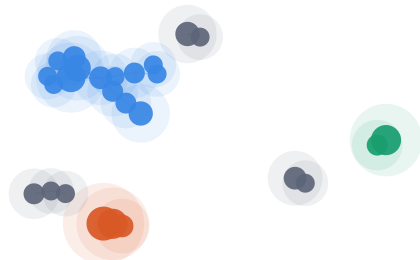
Topics that are similar to each other get connected, and a force layout arranges the result. Bubble size is keyword count; connected groups of topics share a colour. Export the clusters as CSV or the map as a PNG.
Why "by meaning" matters
Keyword tools that group by shared words put "how to make cold brew" and "cold brew ratio" together, but miss that "iced coffee recipe" belongs with them. Embeddings catch that, which is why the clusters map to pages you would actually write rather than to string matches.
Seven real files, seven real results
Every file below is run through the same pipeline you get, and the counts and topic names are the real output. The first two show what the tool does with a Search Console export and a site crawl; the rest are plain keyword lists. Open any of them to explore the live version.
Where you already rank
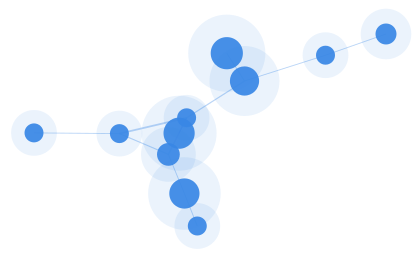
The same clustering, plus the columns most tools throw away. This export carries a position and a landing page per query, which turns the topic map into a to-do list: 45 queries sitting on page two, and 6 queries split across two of your own URLs.

Your own site, mapped
Drop in a Screaming Frog export and the same engine reads page titles instead of keywords. You get the topic map of the site you actually have, every on-page problem the crawl can prove, and the pages that cover one topic without linking to each other.
Coffee & brewing
A hobby niche with many distinct sub-crafts. Brewing methods separate cleanly from gear, health questions and the coffee-shop business angle.

Project management software
A B2B SaaS niche. Product-comparison queries split away from methodology explainers and career terms — three very different pages, three very different intents.

Home fitness
Training, fat loss, mobility and nutrition pull apart into their own clusters — a good illustration of one broad niche that is really four content pillars.

Personal finance
Investing, budgeting, debt, credit and retirement are close neighbours in language but separate pages in practice. The map shows where the boundaries actually fall.

Japan travel
Destination guides, transport, food and practical logistics. Note how city names cluster by city rather than by the word "guide" — that is meaning-based grouping doing its job.
Now try your own
Export queries from Search Console, Ahrefs, Semrush or Keyword Planner and drop the CSV in. It never leaves your browser — free up to 5,000 keywords, and more on request.
Upload my keywords